The Basics of Web Development: A Beginner's Guide to Getting Started
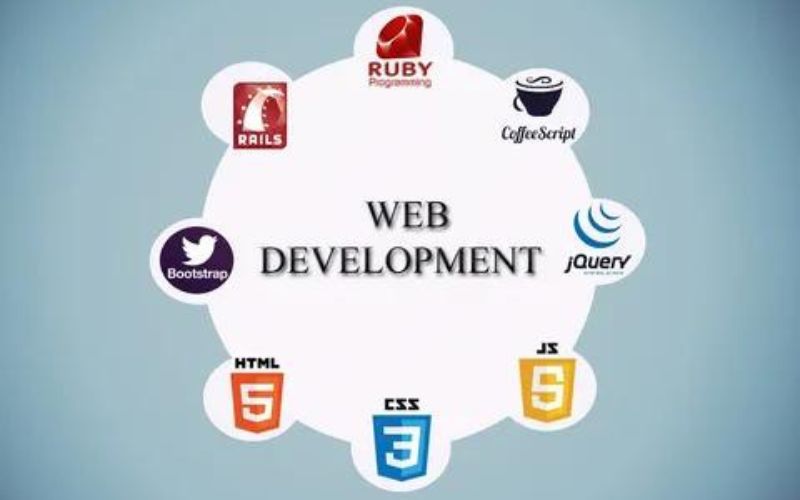
Web development is an exciting field that empowers individuals to create and shape the digital landscape we interact with every day. Whether you're a curious beginner or someone looking to transition into a career in web development, understanding the basics is crucial. This comprehensive guide aims to provide beginners with an overview of web development, covering the fundamental concepts, languages, and tools needed to get started on your journey. So let's dive in and explore the basics of web development!
Understanding Web Development:
Web development encompasses the creation and maintenance of websites and web applications. It involves a combination of coding, design, and problem-solving skills to build functional, visually appealing, and user-friendly online experiences.
Key Concepts in Web Development:
Front-End Development: Front-end development focuses on the user interface (UI) and user experience (UX) of a website or application. It involves HTML (Hypertext Markup Language), CSS (Cascading Style Sheets), and JavaScript to create the visual and interactive elements that users see and interact with in their web browsers.
Back-End Development: Back-end development deals with the server-side of web applications. It involves programming languages such as Python, PHP, Ruby, or JavaScript (with Node.js) to handle server logic, database management, and other server-side operations.
Full-Stack Development: Full-stack developers have proficiency in both front-end and back-end development. They can handle all aspects of web development, from designing the user interface to managing the server-side components.
Essential Languages and Technologies:
HTML: HTML is the backbone of web development. It provides the structure and content of web pages, defining the elements and their relationships. HTML tags are used to mark up text, images, links, headings, and other elements.
CSS: CSS is responsible for the presentation and styling of web pages. It allows you to control the layout, typography, colors, and visual aspects of your website. CSS can be used to make your web pages visually appealing and responsive across different devices.
JavaScript: JavaScript is a powerful scripting language that adds interactivity and dynamic behavior to web pages. With JavaScript, you can create interactive forms, handle user events, manipulate the DOM (Document Object Model), and make asynchronous requests to servers.
Version Control: Version control systems like Git are essential tools for web developers. They allow you to track changes to your codebase, collaborate with others, and revert to previous versions if needed. Platforms like GitHub and GitLab provide hosting and collaboration features for version-controlled projects.
Web Development Frameworks: Frameworks like React, Angular, and Vue.js simplify and streamline the process of building complex web applications. They provide reusable components, efficient data handling, and help manage the application's state and user interfaces.
Content Management Systems (CMS): CMS platforms like WordPress, Drupal, and Joomla provide pre-built systems for creating and managing websites. They offer user-friendly interfaces, themes, plugins, and tools to simplify the web development process.
Tools and Development Environment:
To start your web development journey, you'll need a development environment and tools. Here are some essential tools to consider:
Text Editors and Integrated Development Environments (IDEs): Popular choices include Visual Studio Code, Sublime Text, Atom, and JetBrains' WebStorm. These tools provide syntax highlighting, code completion, and other features to enhance your coding experience.
Browser Developer Tools: All major web browsers offer built-in developer tools. These tools allow you to inspect HTML elements, modify CSS styles in real-time, debug JavaScript, and analyze network requests. Familiarize yourself with the browser developer tools to aid in troubleshooting and optimization.
Package Managers: Package managers like npm (Node Package Manager) and yarn simplify the process of installing, managing, and updating external libraries and dependencies for your projects.
Testing Tools: Testing is an important aspect of web development. Tools like Jest, Mocha, and Selenium help automate testing processes, ensuring that your web applications function as intended and are free of bugs.
Continuous Learning and Resources:
Web development is a constantly evolving field, so it's important to keep learning and stay up-to-date with the latest technologies and best practices. Some valuable resources for beginners include online tutorials, documentation, coding bootcamps, and forums like Stack Overflow and GitHub, where you can seek help and engage with the developer community.
Web development company offers endless opportunities for creativity, problem-solving, and career growth. By understanding the basics of front-end and back-end development, learning essential languages like HTML, CSS, and JavaScript, and familiarizing yourself with the necessary tools and development environments, you can embark on your web development journey. Remember that practice, patience, and continuous learning are key to mastering web development. So start coding, build projects, seek knowledge, and embrace the ever-evolving world of web development.